AI Description
Use generative AI to translate the raw SQL of the component into a natural language description.
The Problem
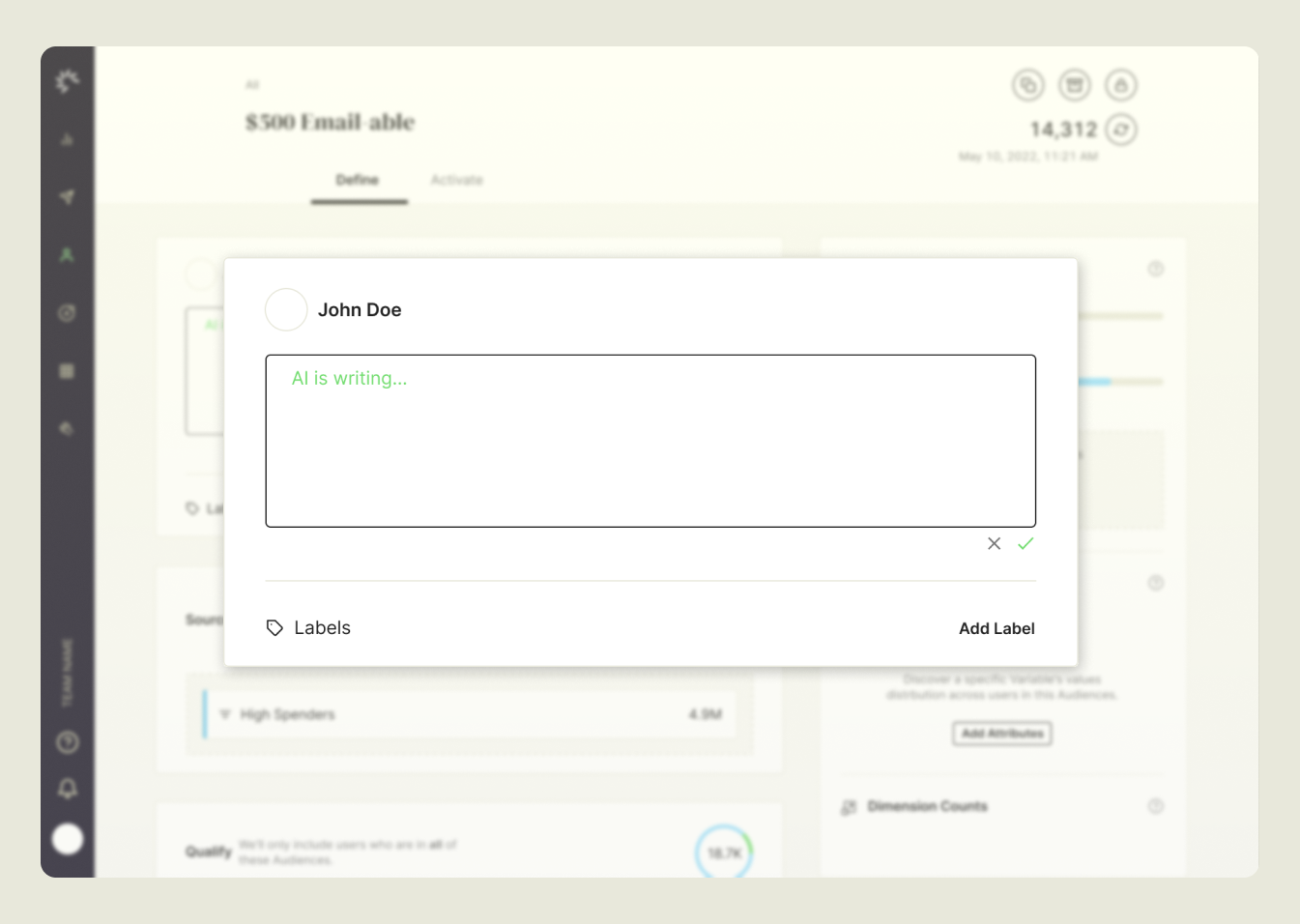
Every component on the platform has an optional description field. These descriptions are essential for reusing components, especially in cases where only the title and description are available. They also help different user types collaborate. Technical users often create the components, while less technical marketing users rely on attributes and audiences to build campaigns. Complex SQL-based attributes can be difficult for non-technical users to understand.
Writing these descriptions is also challenging. They are often left blank or inaccurately written, which can create confusion.
The Solution
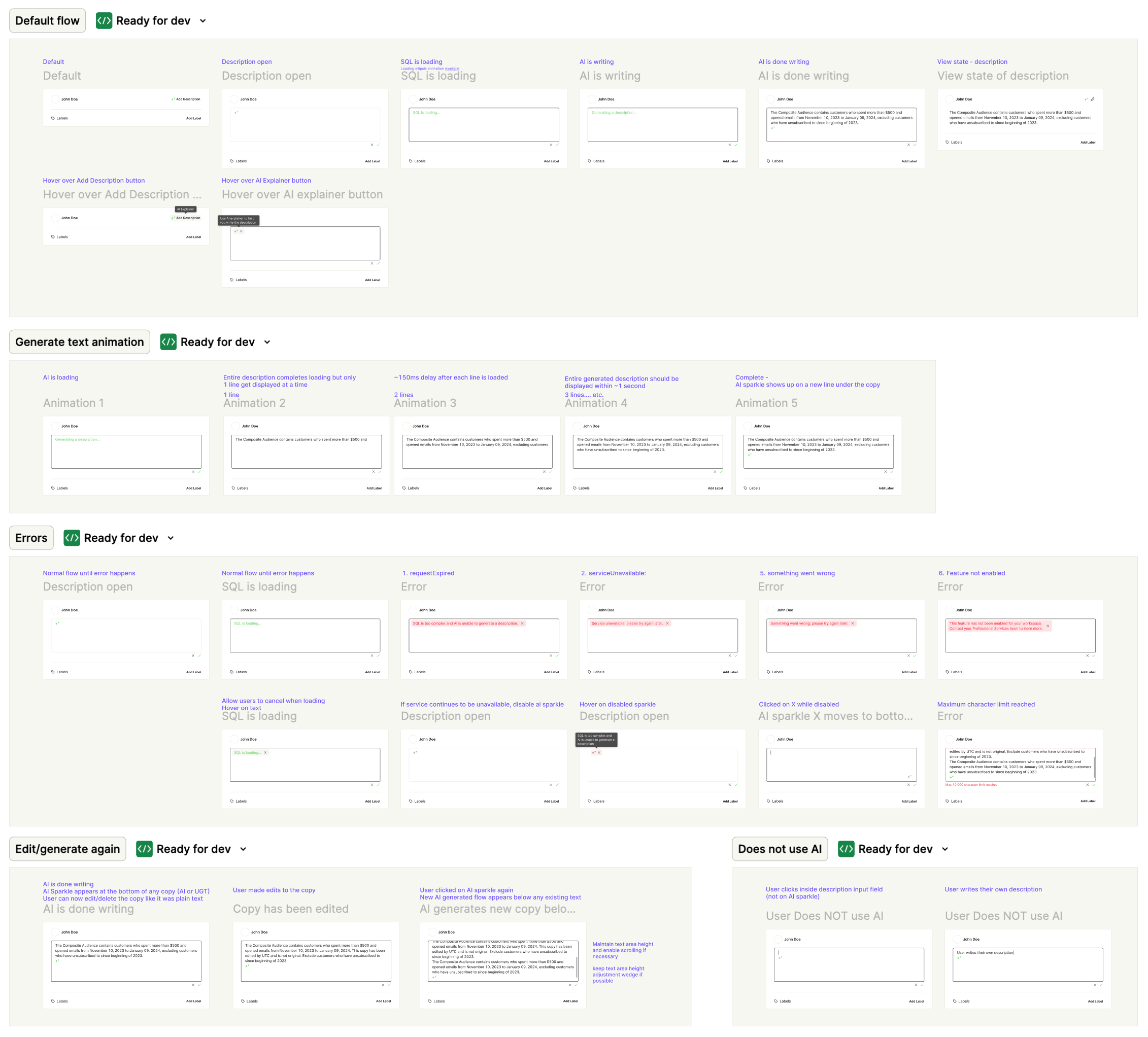
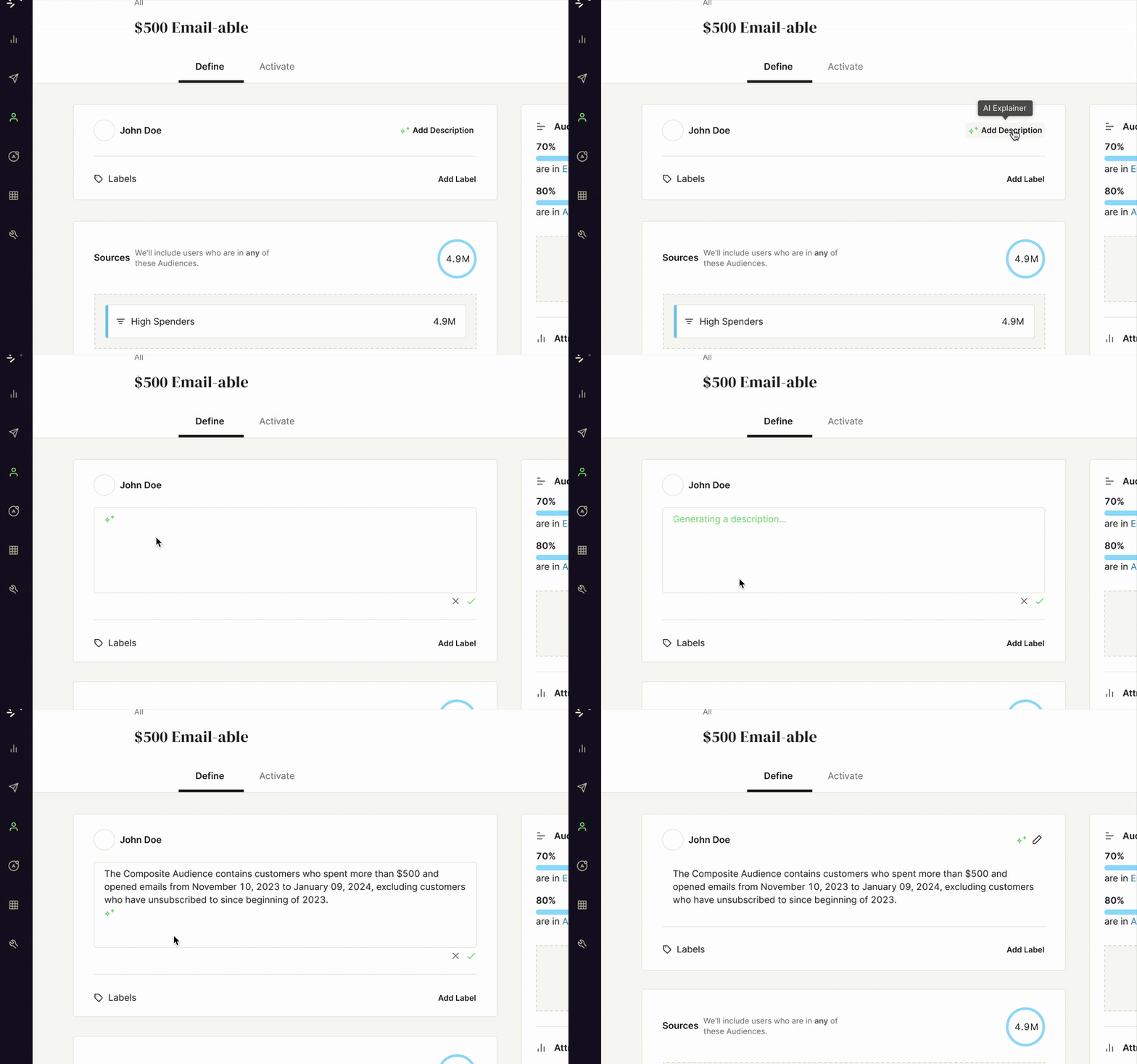
We implemented a generative AI feature that translates the raw SQL of a component into a natural language description. The AI-generated text lives directly in the existing description field, making it seamless with the platform.
The feature is optional, discoverable, and editable. Users can regenerate descriptions or make their own edits. The AI interface was designed to be flexible, allowing deployment wherever a description field exists and ensuring it has access to the component’s SQL. The interface also clearly communicates that the text is AI-generated.
User Feedback
We conducted a test with 10 participants familiar with the platform. Each ran the AI on 10 different Audiences and evaluated accuracy, completeness, and business readability.
Results showed that the AI performed well on accuracy but sometimes missed on completeness, failing to describe all aspects of the Audience. Some outputs were too technical for business users, describing some lines in SQL terms. Despite this, participants found the interface intuitive and seamless. Users who previously wrote descriptions manually described the feature as “magical” and appreciated the time savings.
Next Steps
- Launch the AI description interface in beta for Audiences components, with a disclaimer about potential incompleteness.
- Continue testing the AI model to improve accuracy and completeness.
- Expand deployment to all description fields once the AI reaches an acceptable standard.
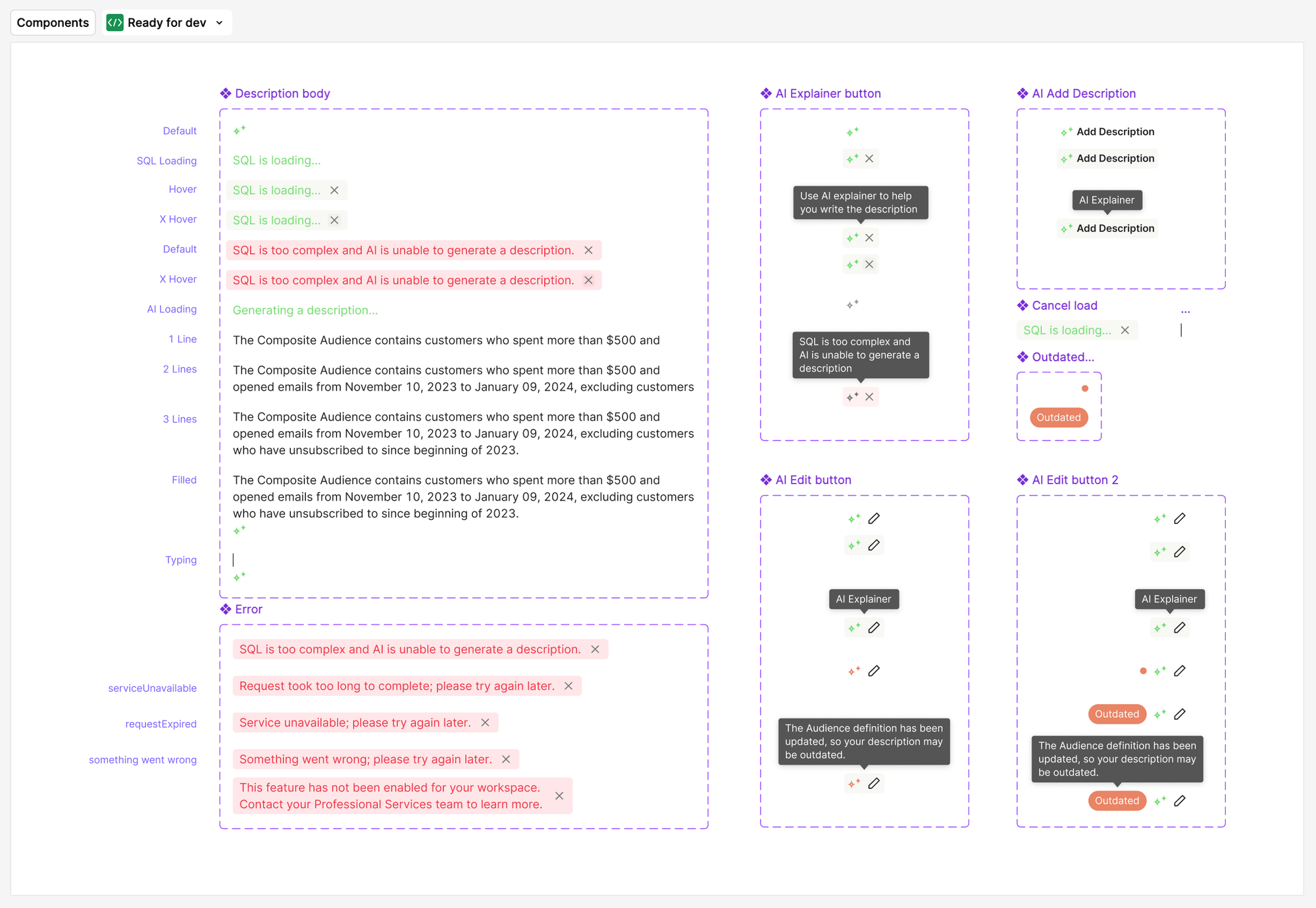
- Enhance interface features, including improved options for inserting, rephrasing, and handling out-of-date descriptions.